Model Dashboard
A cam model's workspace: streaming, chat modes and rates, profile and galleries, tips, earnings statistics and payouts — in one dashboard that runs right in the browser.
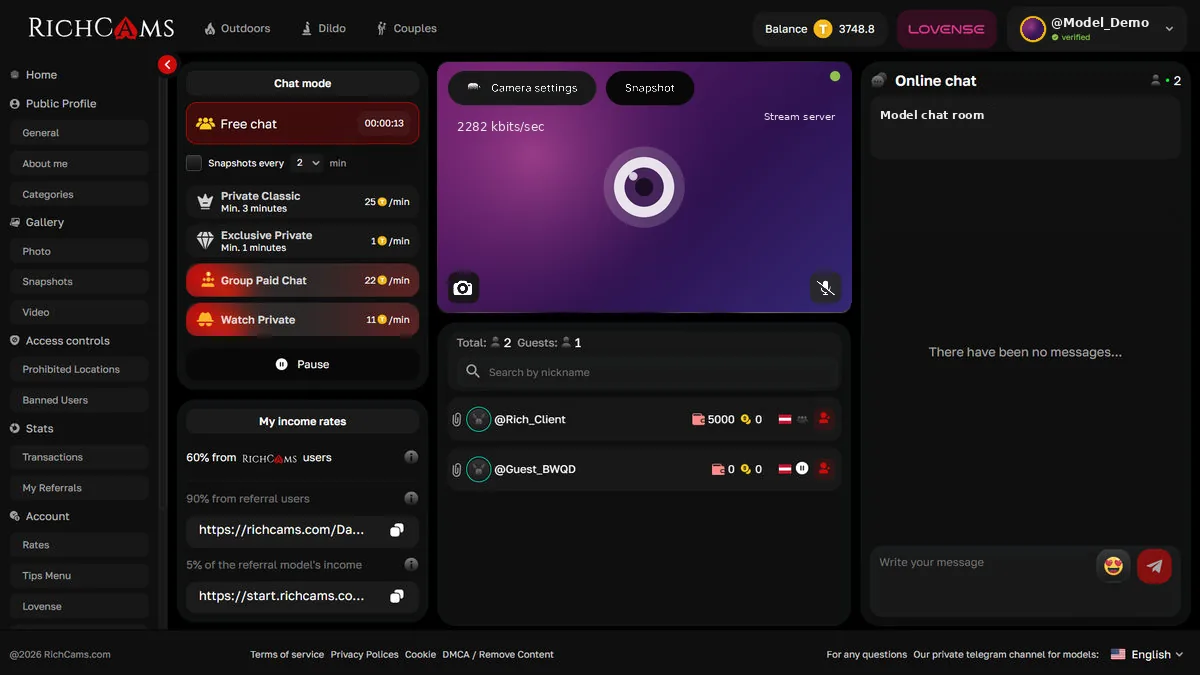
Streaming from the browser — on a computer or a phone
Models go live from the browser over WebRTC — no separate streaming software needed. Camera settings cover resolution, the camera — including OBS Virtual Camera for scenes and effects — the microphone and bitrate.
Models can stream from any mobile device — an Android or iOS phone or tablet — right in the mobile browser, with no apps. They can go live from anywhere: out on the street, in the backyard, while travelling — mobile internet is enough. In the mobile version of the dashboard, chat modes, viewers and chat sit on separate tabs.
During a stream, everything needed for work is at hand:
- switching the chat mode and pausing with one click;
- stream snapshots, manual or automatic at a set interval in free chat;
- "My stream now" tags that show customers what the current stream is about;
- a list of online viewers with nickname search and a guest counter;
- online chat with a chat topic and emoji, and the token balance in the dashboard header.
Chat modes and rates
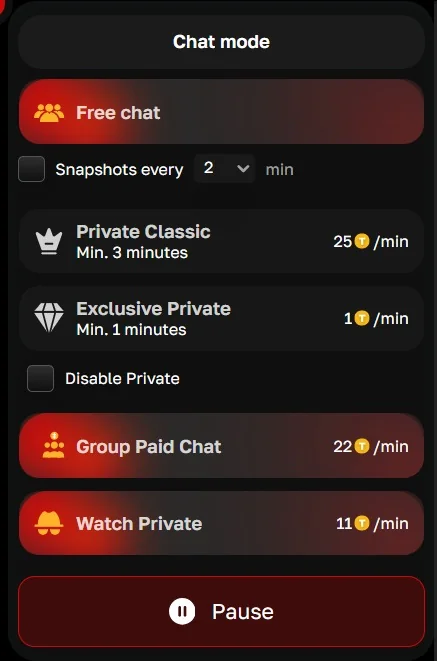
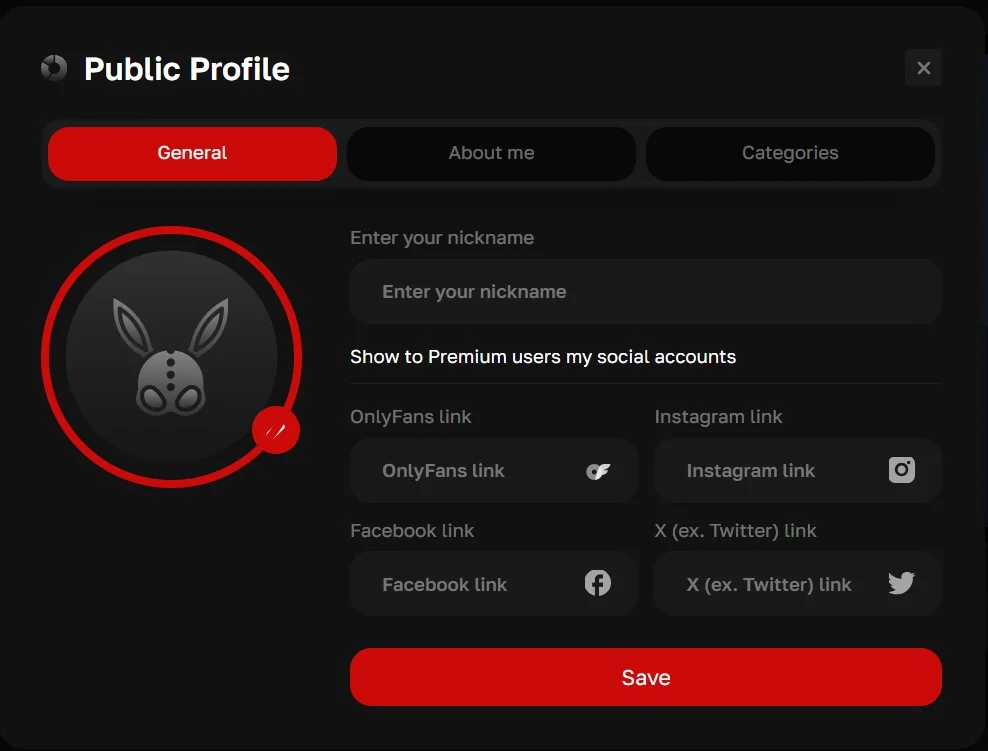
The dashboard has five modes: free chat, group chat, Classic Private, Exclusive Private and Watch Private. For each paid mode the model sets her own per-minute price in tokens, within limits set by the platform operator (on RichCams, 1 to 200 tokens).
Minimum billing sets how many minutes are charged as soon as a chat starts: with 10 minutes at 5 tokens, the customer is charged 50 tokens up front and then 5 tokens a minute.
- other visitors can spy on a Classic Private but not on an Exclusive Private, where the customer can also turn on their own camera;
- Watch Private relays a private show the model is doing on another cam site;
- private shows can be switched off temporarily with one checkbox. A model may disable private shows when she works in free chat and focuses on earning mainly from tips.
Public profile
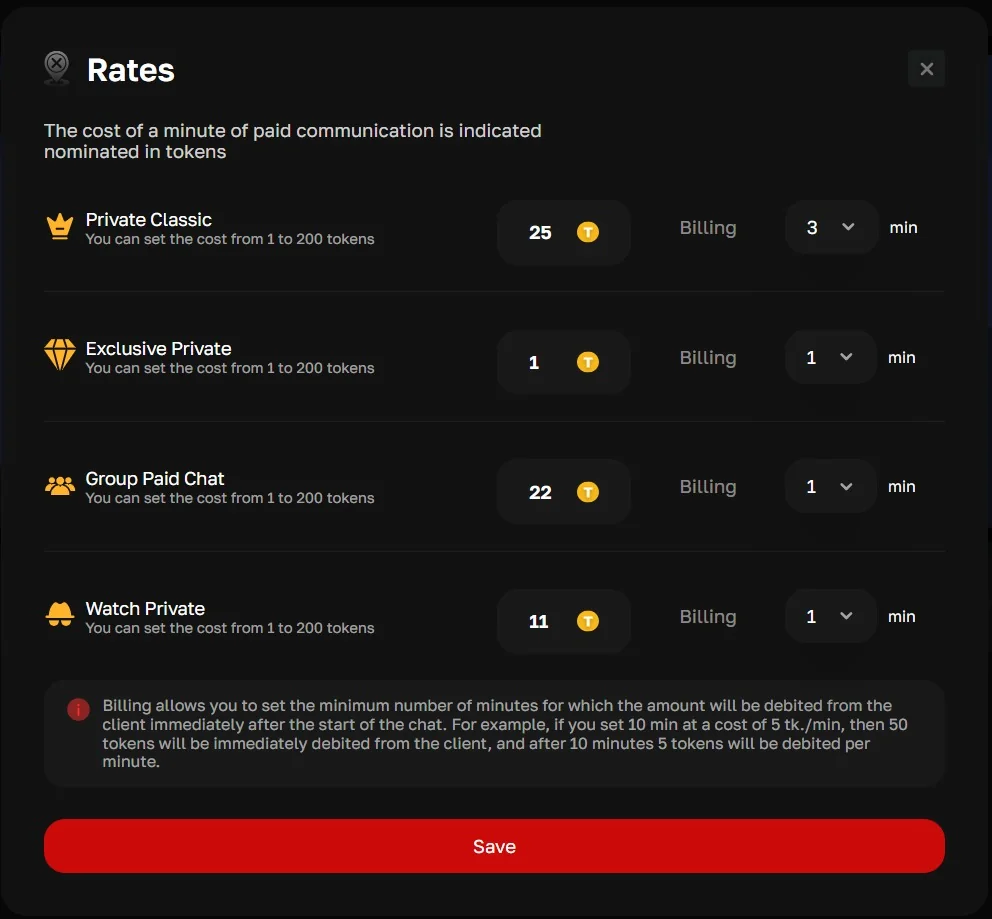
The profile is what customers see in the catalog and in the model's room. On the General, About me and Categories tabs the model fills in:
- nickname and avatar;
- links to OnlyFans, Instagram, Facebook and X — visible to Premium users only;
- age, location, a short bio, languages and custom "name — value" fields;
- categories customers use to find the model in catalog filters.
Photos, videos and snapshots with three access levels
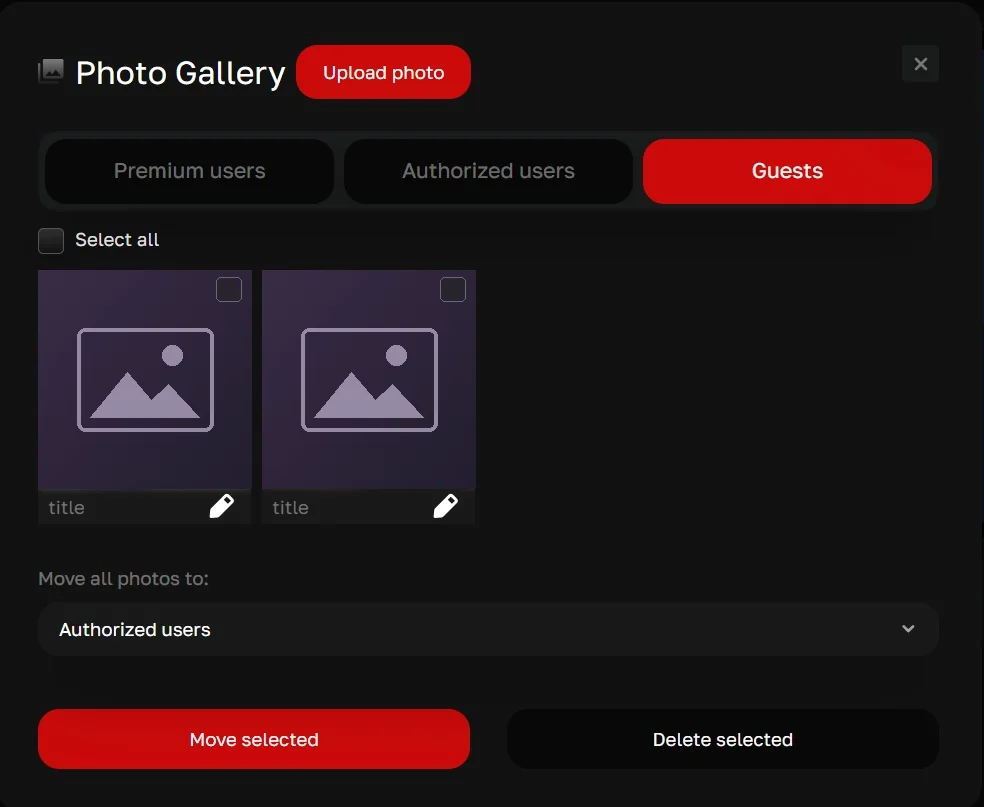
The model sorts photos, videos and snapshots into three access levels: for Premium users, for signed-in users and for guests. Files can be titled, moved between levels — selected ones or all at once — and deleted.
Free content attracts guests and encourages them to sign up, while exclusive content gives them a reason to buy Premium.
Tip menu and Lovense
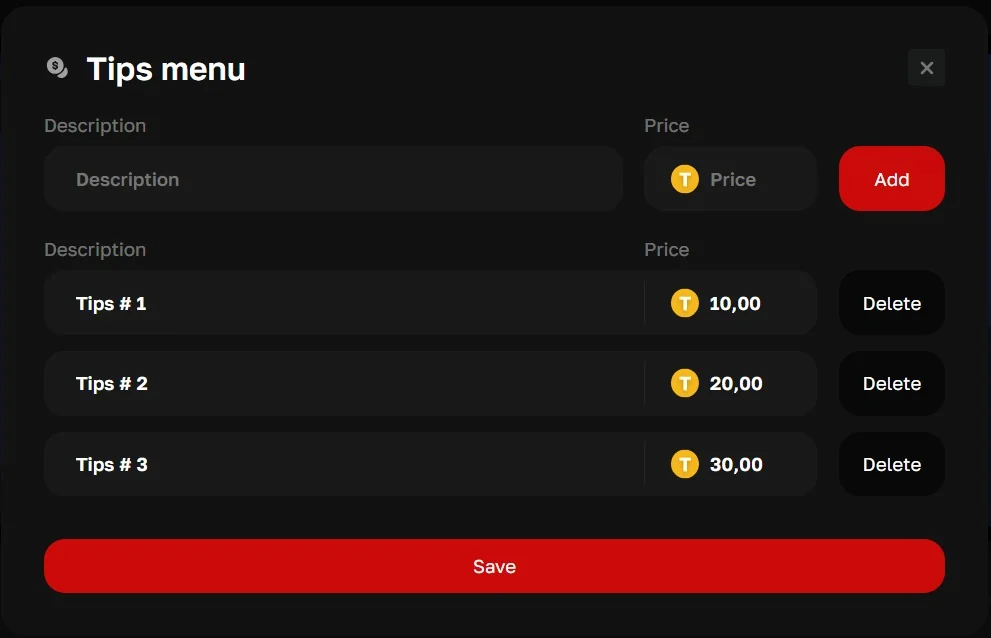
The model builds a tip menu — a description and a token price for each item — and customers see the ready list right in the room.
Lovense toys connect from the dashboard via a simple API or the Lovense Cam extension for Chrome, so tips trigger interactive vibration.
Earnings, transactions and referrals
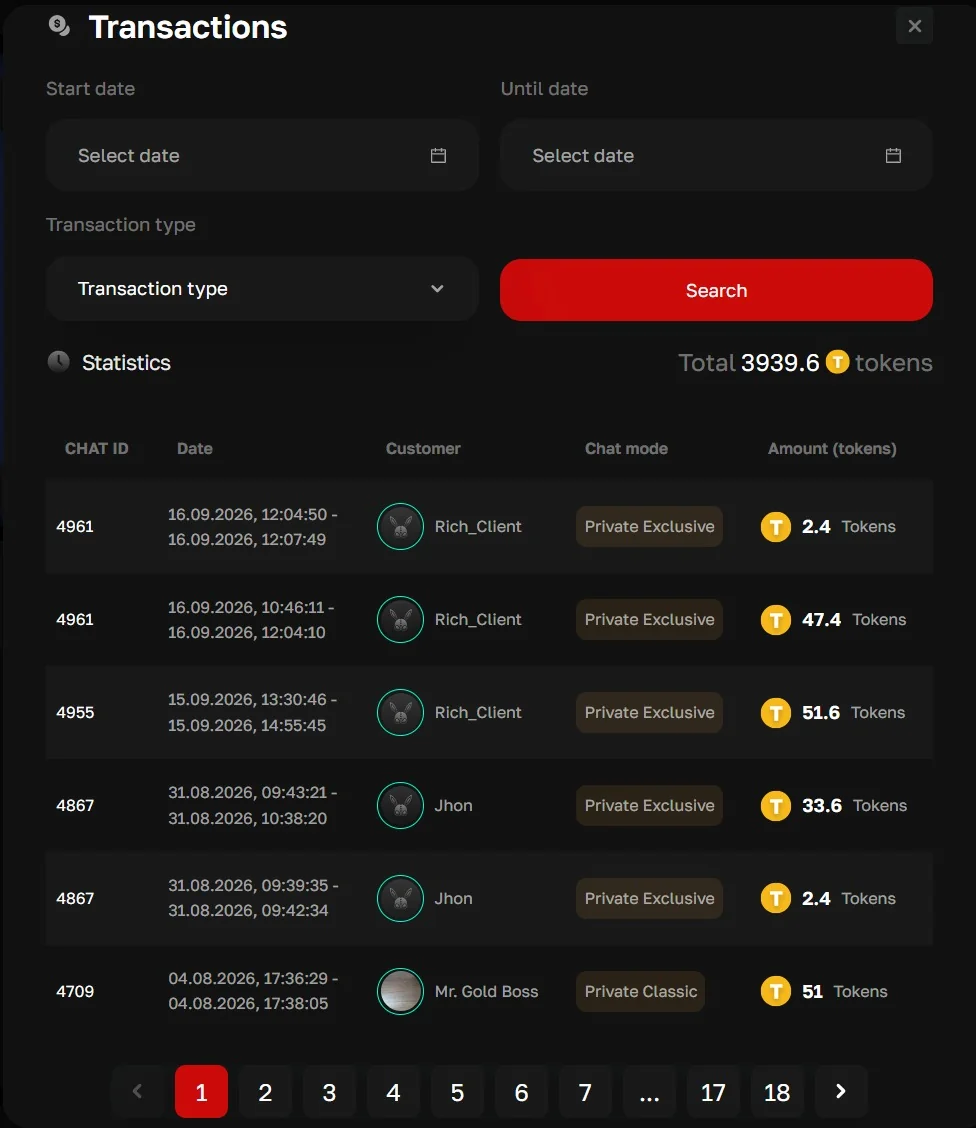
The Transactions section lists all earnings with filters by date and transaction type: chat ID, start and end time, customer, chat mode, amount in tokens and the total for the period.
The "My income rates" block shows the model's share separately for site customers, for customers she brought in with her referral link and for the income of models she referred — the percentages are set by the operator. "My referrals" lists referred users with their type and status.
Payouts
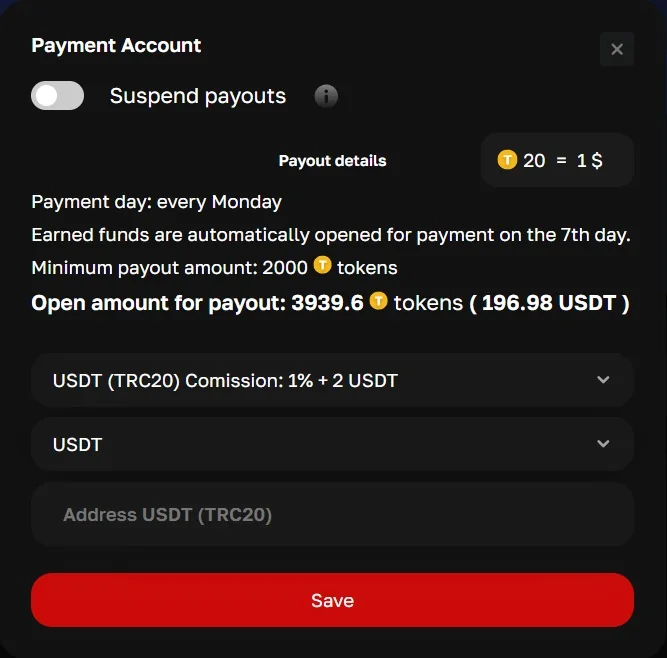
In the payment account the model enters a payout method and details and sees the amount available for withdrawal, in tokens and in currency. Payout methods and currency are set up for your project, from bank transfers to crypto such as USDT (TRC20).
The payout day, how long until earnings become available, the minimum amount and the token rate are set by the operator: on RichCams that's payouts every Monday, 7 days until earnings unlock and a rate of 20 tokens = $1. Models can pause payouts themselves.
Built-in model verification (KYC)
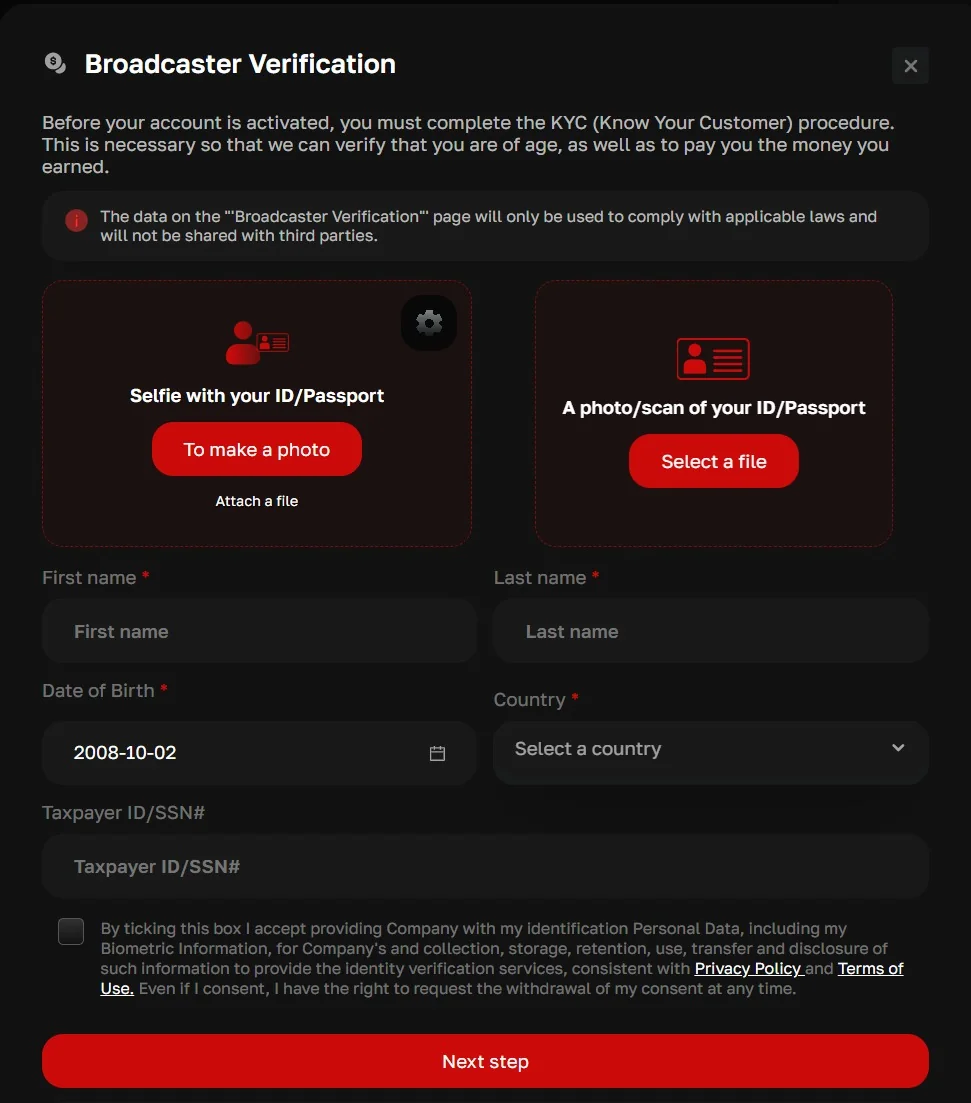
Before the account is activated, the model completes KYC right in the dashboard: a selfie with her ID ("Selfie with your ID/Passport") — taken with the browser camera or uploaded as a file — and a photo or scan of her passport or ID ("A photo/scan of your ID/Passport"). She also enters her first and last name, date of birth, country and taxpayer ID / SSN, and consents to the processing of her personal and biometric data.
After each upload the moderator gets an instant Telegram notification, checks the selfie against the document photo, verifies age and approves or rejects the application. There's no per-check fee to third-party KYC services — built-in verification cuts the cost of model compliance. An external provider can still be connected if you prefer.
Privacy and security
- prohibited locations: the model hides her profile in selected countries, regions or cities;
- banning individual users;
- password change in account settings.
Model dashboard questions
Does a cam model need streaming software?
No. Streams start right in the browser over WebRTC. Models who work with scenes and effects can connect OBS through OBS Virtual Camera.
Can a cam model stream from a phone?
Yes. Models can stream from any Android or iOS phone or tablet right in the mobile browser, with no apps — from anywhere: out on the street, in the backyard, while travelling. Mobile internet is enough.
How does a model set prices for private and group chat?
In the Rates section the model sets a per-minute token price for each paid mode — Classic Private, Exclusive Private, group chat and Watch Private — within limits set by the operator. Minimum billing is set there too: how many minutes are charged as soon as a chat starts.
Who can see a model's photos and videos?
The model sorts photos, videos and snapshots into three access levels: for Premium users, for signed-in users and for guests. Social links from the profile are visible to Premium users only.
How does a cam model get paid?
The model enters a payout method and details in the payment account. The payout day, how long until earnings unlock, the minimum amount and the token rate are set by the operator; by default a manager sends each payout, which doubles as a compliance check.
How are cam models verified?
Built in, right in the model dashboard: a selfie with ID (taken with the browser camera or uploaded), a photo or scan of the passport or ID, name, date of birth, country and taxpayer ID. The moderator gets an instant Telegram notification about each upload and approves or rejects the application. No per-check fees to third-party KYC services, which lowers compliance costs.
Can a model hide her profile from viewers in her own country?
Yes. In Prohibited locations the model hides her profile in selected countries and, if needed, in specific regions and cities. Individual users can be banned as well.